Plan the week.
Execute the day.
Lock it in.
Lock That Fitness In is a workout tracker, macro log, and supplement stack in one — so the whole day lives in one place and nothing gets forgotten. iPhone now; Android planned for Q2 2027.
Tedious tracking made simple.
Currently in closed beta. Want in now? Email us.
Plan ahead
Decide the week on Sunday, not at the rack.
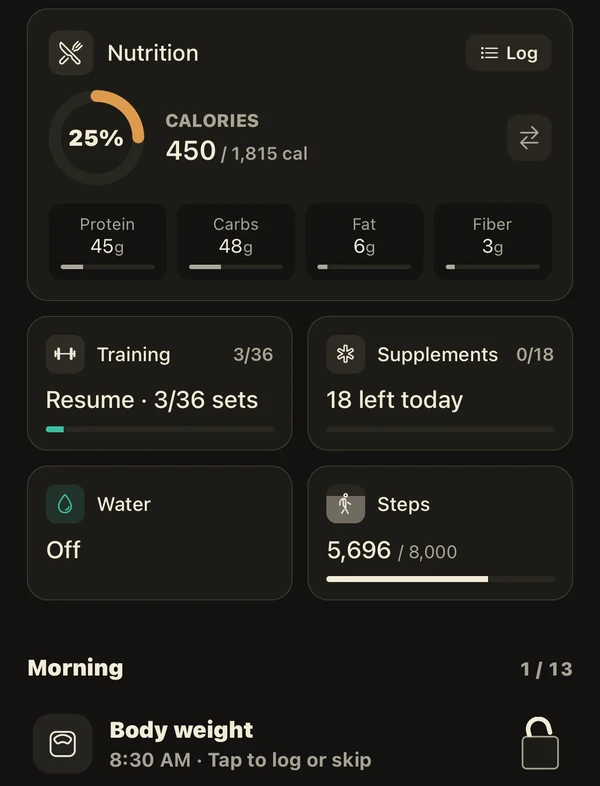
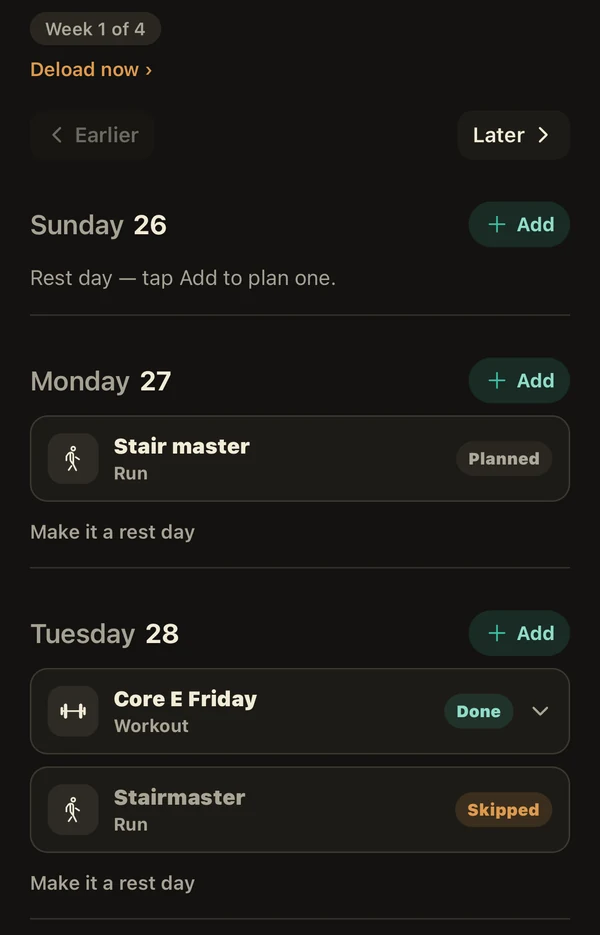
Lay the week out in one pass — training days, rest days, the deload when it comes due. Each planned session waits on the day it belongs to, already loaded, so the decision is made before you are standing in front of a barbell making it.
- Blocks run in weeks — week 1 of 4, with the deload marked.
- Every day carries its own state: planned, done, or skipped.
- A week that worked can be repeated as it stands.
Execute the day
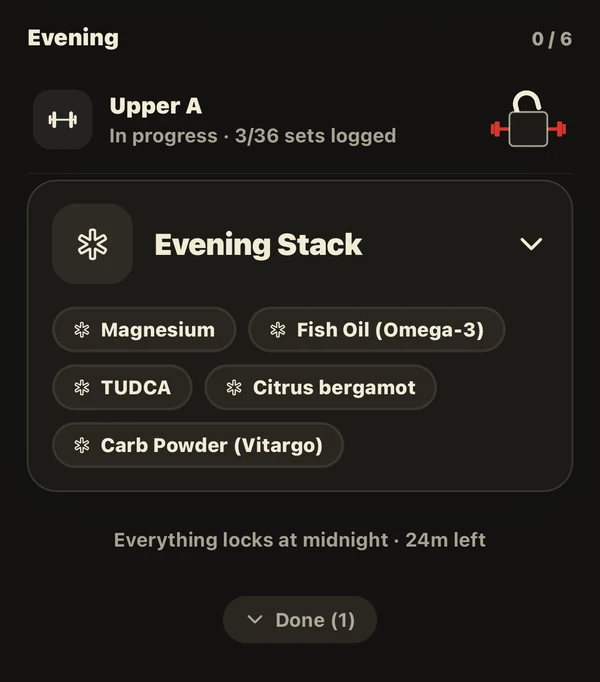
One list, and everything on it locks at midnight.
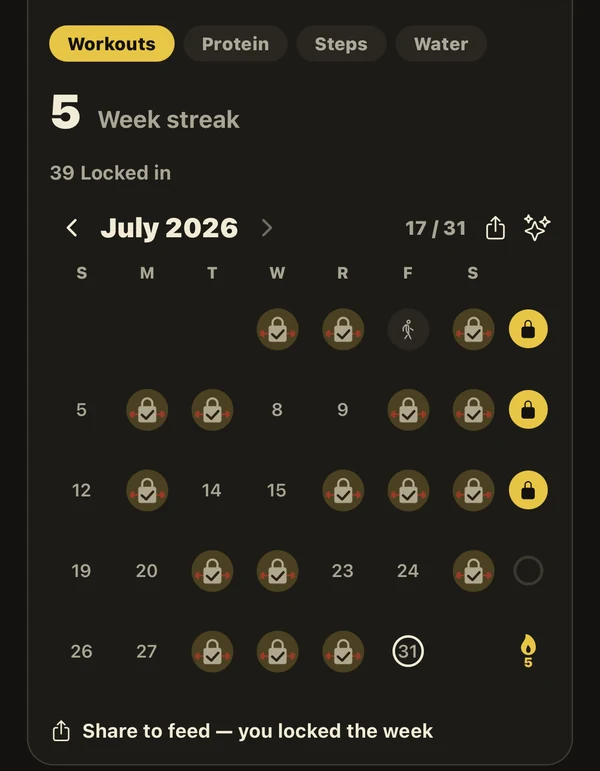
Training, supplements, water, steps, the weigh-in, the food — one checklist with a count that only goes up. Items lock as you complete them. At midnight the day closes, and the week's record is what you actually did rather than what you meant to do.
Log the work
The logger gets out of the way.
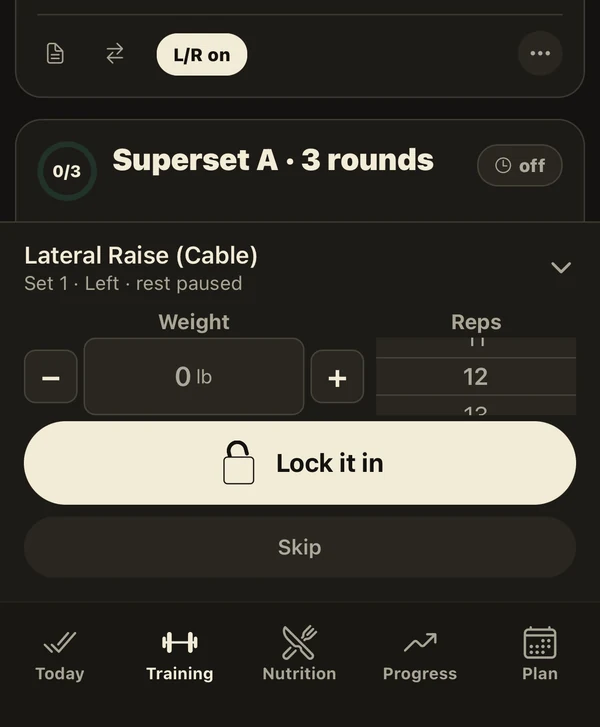
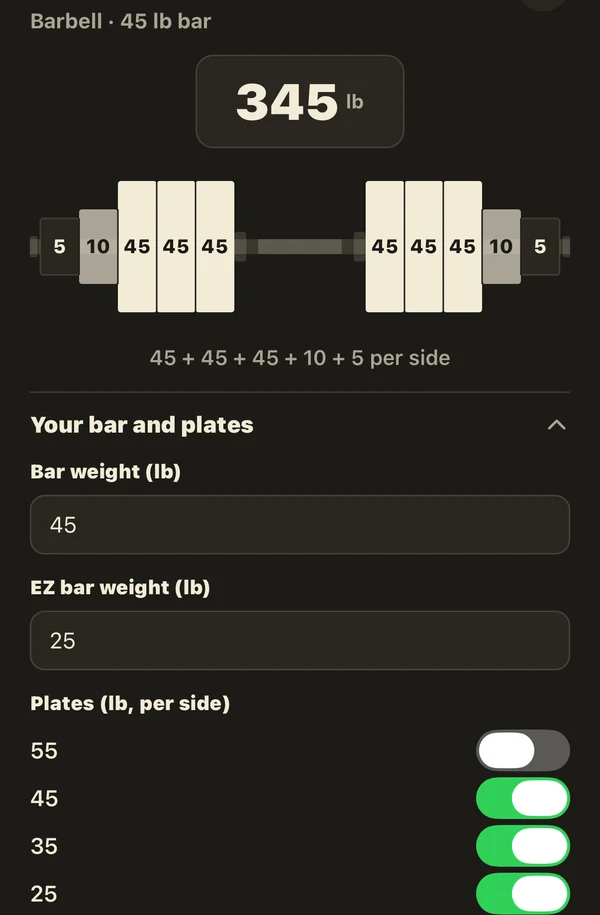
Weight and reps behind steppers big enough for chalked hands. Supersets kept in rounds, left and right sides tracked apart, rest that pauses when you do. The plate maths is done for you, and the bar is drawn the way you will actually load it.
Know the load
Balance you don't have to keep in your head.
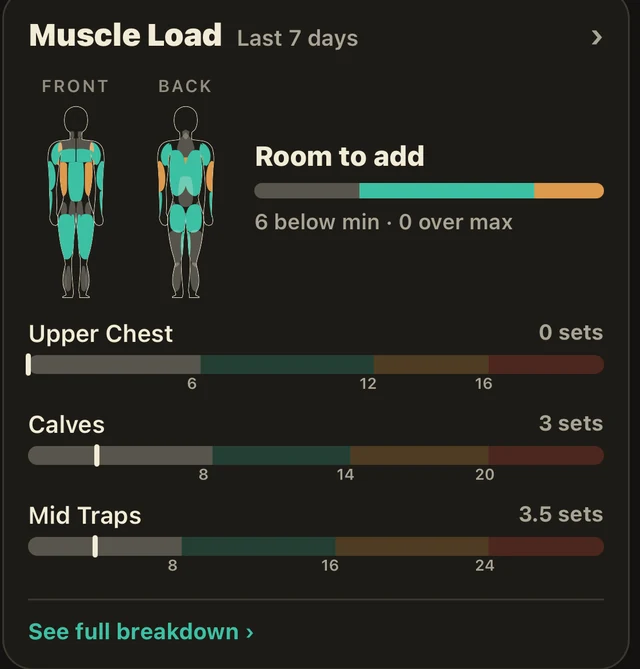
Every set you log feeds a per-muscle count across the last seven days, front and back. Under-trained muscles surface on their own, with the number that says so — and they feed straight into the next session instead of into a note you will not re-read.
Build a workout to hit these gaps
The app's own prompt, once the gaps are visible.
Never wonder again
Did I take the creatine this morning?
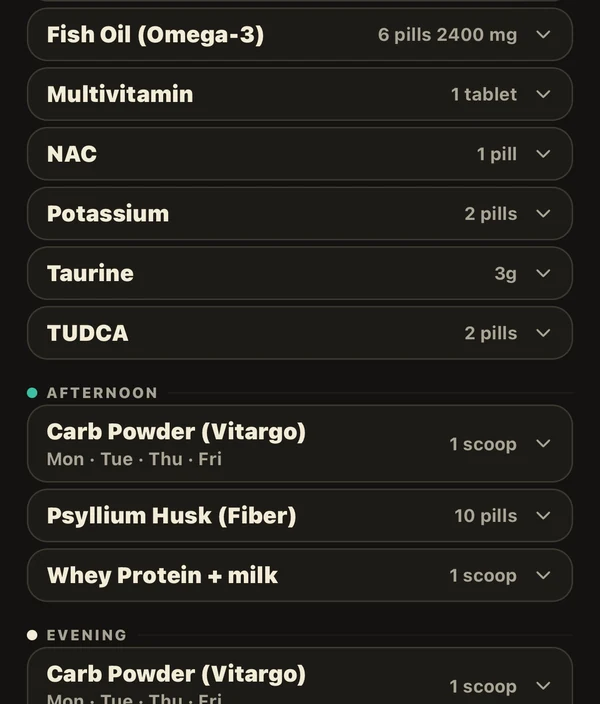
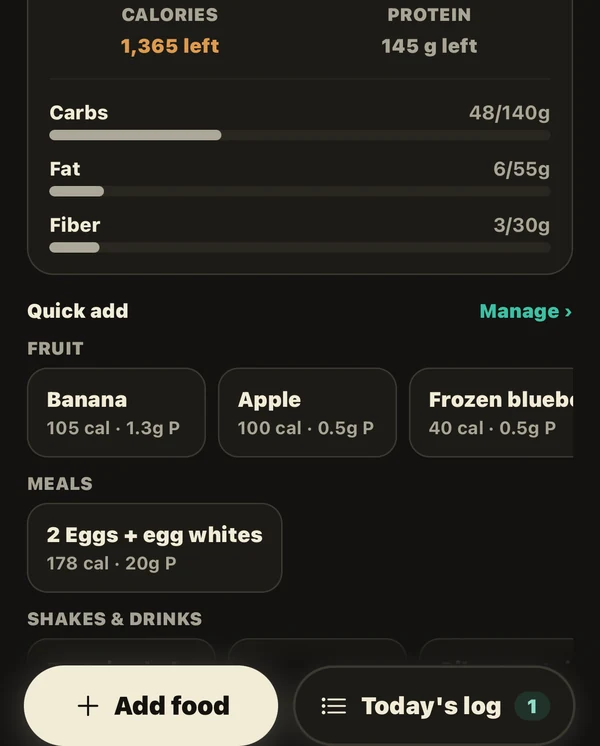
The stack is grouped by when you take it — morning, afternoon, evening — with the dose written down once and the days it applies to written next to it. Macros work the same way: presets for the food you actually eat, so logging lunch is a tap rather than a search.
Steal a workout
Run someone's proven block instead of an algorithm's.
When someone you follow locks in a session, it arrives with the sets they actually did — not a template of what they intended. Take it into your own plan and it is yours: the same exercises in the same order, loaded with the numbers they hit.
- Someone you follow locks in a session.
- It lands in your feed with the real sets.
- Add it to your plan and train it.
A record of the work, not the body.
One photo per session, if you want one. Rendered with your lift summary, stored on your device.
Optional. Local. Skip it and the log still works.
One app, whole day
Four apps and a note file, replaced.
Training, macros, supplements, sleep and body weight live on one day's screen — planned in advance, logged as you go, closed out at midnight.
Tedious tracking made simple.
iPhone now. Android planned for Q2 2027. Want the closed beta now? Email us.
Everything else it does
Plate calculator
The bar drawn the way you load it, per side, barbell or EZ-bar.
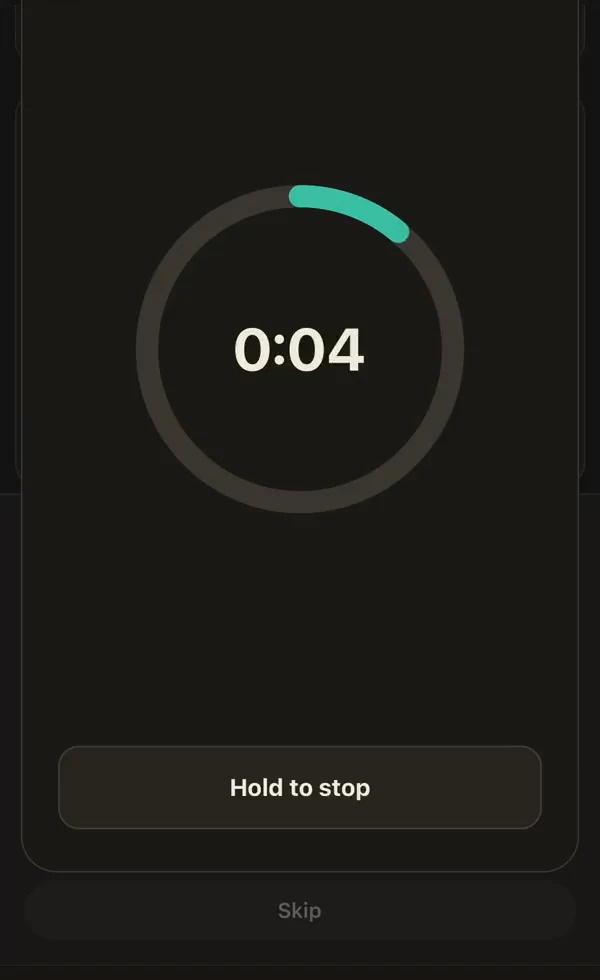
Timed holds
Planks and carries run a clock and log themselves when it stops.
Supersets and rounds
Grouped exercises kept in rounds, with rest that pauses when you do.
Left and right sets
Sides tracked apart, so an imbalance is visible instead of averaged away.
Deloads on schedule
Blocks run in weeks and the deload is marked before you have to think about it.
Sleep and recovery
Sleep, energy and soreness move the next session's set count up or down.
Weekly muscle load
Every set counted per muscle across seven days, front and back.
Macro presets
The food you actually eat, saved once, logged with one tap.
Supplement stacks
Grouped by morning, afternoon and evening, with the dose written down.
Streaks and records
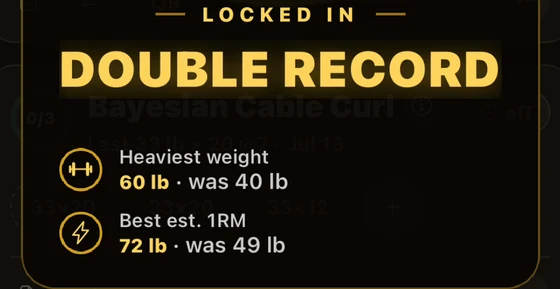
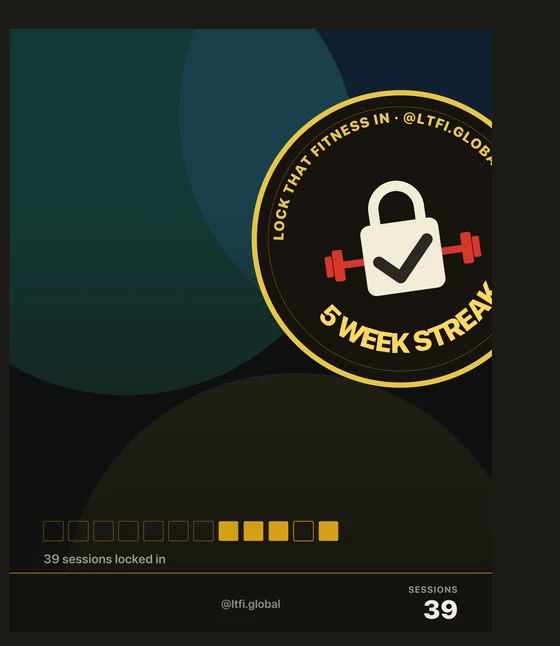
Locked days build a week; beaten lifts surface as records on the set.
Shared workouts
Send a session or a template by link, or take one from your feed.
Coach handoff
Export a structured summary of your training to hand to a coach.
Apple Health
Reads body mass, sleep, macros and steps. Read-only — it writes nothing back.
Custom exercises
Add your own movements when the library does not have the variant.
Questions
Do I need an account?
Yes. The account is how a log survives a reinstall or a new phone, and it is what the shared workouts and the friend feed are built on.
Which devices does it run on?
iPhone today. An Android version is planned for the second quarter of 2027. There is no web version.
Does it read Apple Health?
It can read body mass, sleep analysis, dietary macros and step count, with your permission and read-only — it does not write anything back. The full list is in the privacy policy.
What does it cost?
Nothing during the beta, and no part of the beta sits behind a paywall. A paid tier is planned for later; it is not built yet.
What happens to my data?
What is collected, who processes it, how long it is kept and how to delete it are all set out in the privacy policy and the consumer health data policy.
Lock That Fitness In